> ## Documentation Index
> Fetch the complete documentation index at: https://docs.terracetech.co/llms.txt
> Use this file to discover all available pages before exploring further.
# Inventory
> Products, stock, locations, and recurring field operations.
Inventory is your catalog and your ground truth: what you grow and sell, how much of it you have, where it is, and the recurring work that keeps it healthy. It spans four screens: **Inventory** (products), **Batches**, **Locations**, and **Operations**.
## Products
A product is anything you sell. Each product record can carry:
* **Product Name**, **SKU**, and **Description**
* **Genus / Species** and growing attributes like **Sunlight** (Terrace adapts to your operation type, so nurseries see plant attributes and sod farms see theirs)
* **Price per Unit** and pricing-tier prices
* **Tags** for your own grouping
* **Low Stock Threshold**, the level at which the product flags as **Low Stock**
* **Public Availability**, whether the product is offered to customers
Every product shows a live **stock status**: **In Stock**, **Low Stock**, or **Out of Stock**. Filter the catalog by product, batch location, batch status, or stock status.
## Stock adjustments
Stock moves automatically as orders commit and cancel, but the real world moves too. Use **stock adjustments** to keep Terrace honest, and tag each one with a reason:
**Sold** · **Damaged/Lost** · **Replanted** · **Purchased** · **Brokered** · **Manual Adjustment**
Reasons make the adjustment history auditable, so you can always answer "where did those 40 units go?"
## Locations
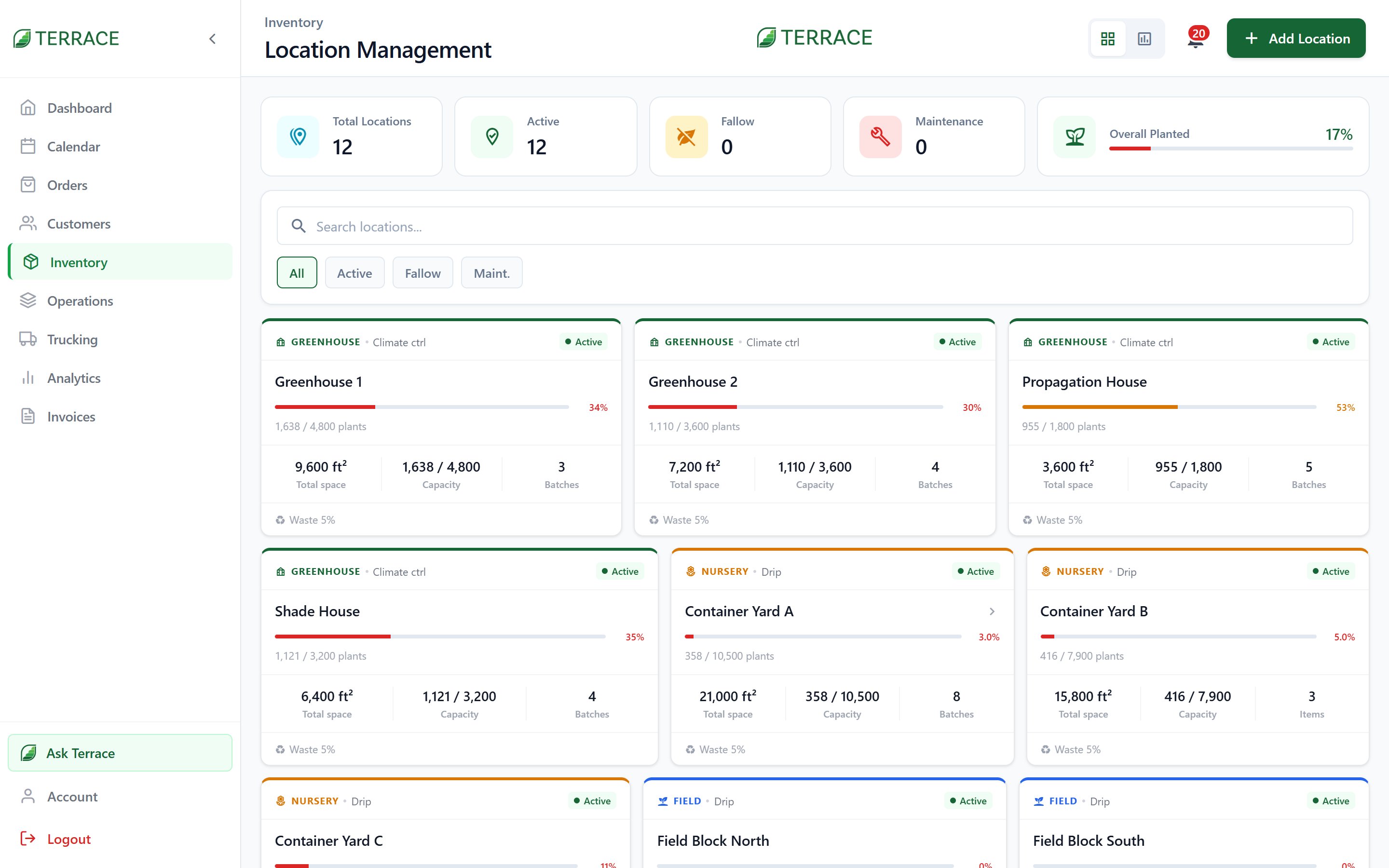 **Locations** are your fields, greenhouses, and yards. Each **Farm Location** tracks:
* **Acreage** / **Square Feet** and **Plant Capacity**
* What's **Planted**, **Reserved**, and **Sold** there
* A status: **Active**, **Fallow**, **Maintenance**, or **Archived**
* **Tasks due today** from your operations schedule
## Operations
**Locations** are your fields, greenhouses, and yards. Each **Farm Location** tracks:
* **Acreage** / **Square Feet** and **Plant Capacity**
* What's **Planted**, **Reserved**, and **Sold** there
* A status: **Active**, **Fallow**, **Maintenance**, or **Archived**
* **Tasks due today** from your operations schedule
## Operations
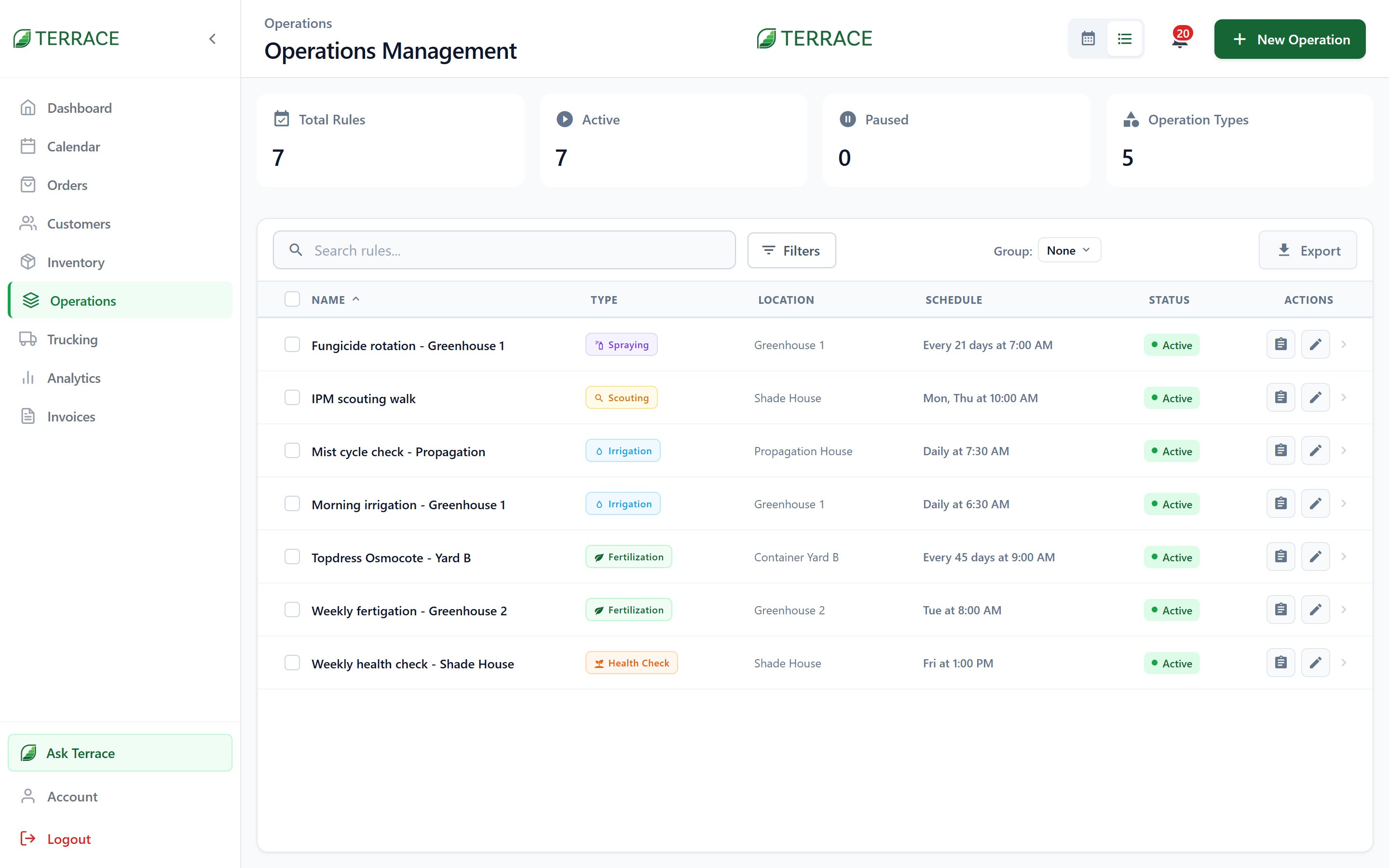 **Operations** are recurring field tasks like watering, fertilizing, and mowing, scheduled **Daily**, **Weekly**, **Monthly**, **Every N Days**, or on **Specific Dates**. Each run is recorded as **Completed**, **Partial**, or **Skipped**, and skips carry a reason: **Rain**, **High wind**, **Equipment issue**, or **Other**. Pause an operation for the off-season and resume it in spring; archive it when it's retired.
## Exports
Four report types, each as **PDF** or **Excel**:
| Report | What it's for |
| ------------------- | ---------------------------------------------- |
| **Full Inventory** | Everything, for the complete picture. |
| **Stock Report** | Current levels, the "what can I sell" sheet. |
| **Pricing Sheet** | Products and prices, ready to hand a customer. |
| **Inventory Audit** | Adjustment history for reconciliation. |
Viewing inventory, locations, and batches, managing products, adjusting stock, deleting products, and exporting are separate permissions. Field staff can often see stock without being able to change it.
Stock ties back to the batches it came from. See how growing feeds inventory.
**Operations** are recurring field tasks like watering, fertilizing, and mowing, scheduled **Daily**, **Weekly**, **Monthly**, **Every N Days**, or on **Specific Dates**. Each run is recorded as **Completed**, **Partial**, or **Skipped**, and skips carry a reason: **Rain**, **High wind**, **Equipment issue**, or **Other**. Pause an operation for the off-season and resume it in spring; archive it when it's retired.
## Exports
Four report types, each as **PDF** or **Excel**:
| Report | What it's for |
| ------------------- | ---------------------------------------------- |
| **Full Inventory** | Everything, for the complete picture. |
| **Stock Report** | Current levels, the "what can I sell" sheet. |
| **Pricing Sheet** | Products and prices, ready to hand a customer. |
| **Inventory Audit** | Adjustment history for reconciliation. |
Viewing inventory, locations, and batches, managing products, adjusting stock, deleting products, and exporting are separate permissions. Field staff can often see stock without being able to change it.
Stock ties back to the batches it came from. See how growing feeds inventory.