

Batches
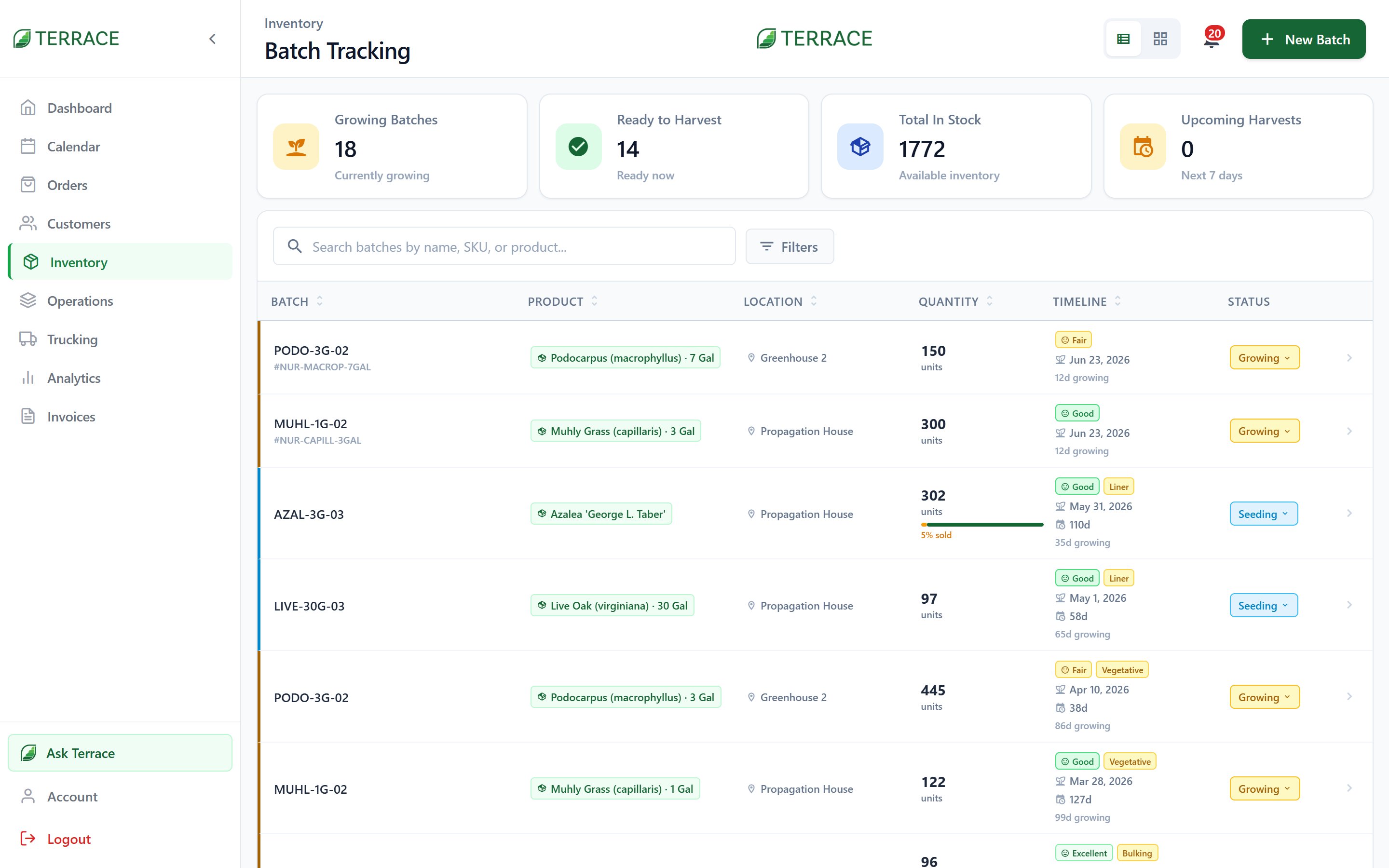
Filter the Batches screen by stage or by what’s due Today and Tomorrow to see what needs attention.
The growing schedule
The growing schedule shows orders waiting on product, laid out by Day, Week, or Month, and broken into Morning, Afternoon, and Evening windows. It’s the crew’s daily answer to “what do we pull today, and how much?” As you log a batch against an order, Terrace allocates it and moves the order forward, from Awaiting Harvest to Harvested (or Awaiting Picking to Picked on nursery, tree, and greenhouse farms — see How Terrace works).Batch allocation
When an order commits and more than one batch could supply it, Terrace opens the batch selector so you choose exactly which batch to pull from. That keeps traceability intact: every order can tell you which field and planting it came from, and every batch can tell you which customers it went to.Growing analytics
The analytics dashboard turns your production history into decisions:- Headline stats: Total Revenue, Total Orders, Avg Order, and Products sold.
- Charts by Revenue, Orders, or Quantity, rendered as Bar, Line, or Area.
- Time ranges from Today to All Time, with Current Period vs Previous Period comparison to see if you’re ahead of last month, or last season.
Viewing batches and revenue data are separate permissions; a crew member can work the growing schedule without seeing dollar figures.
Orders
See how order stages pull from your batches.