

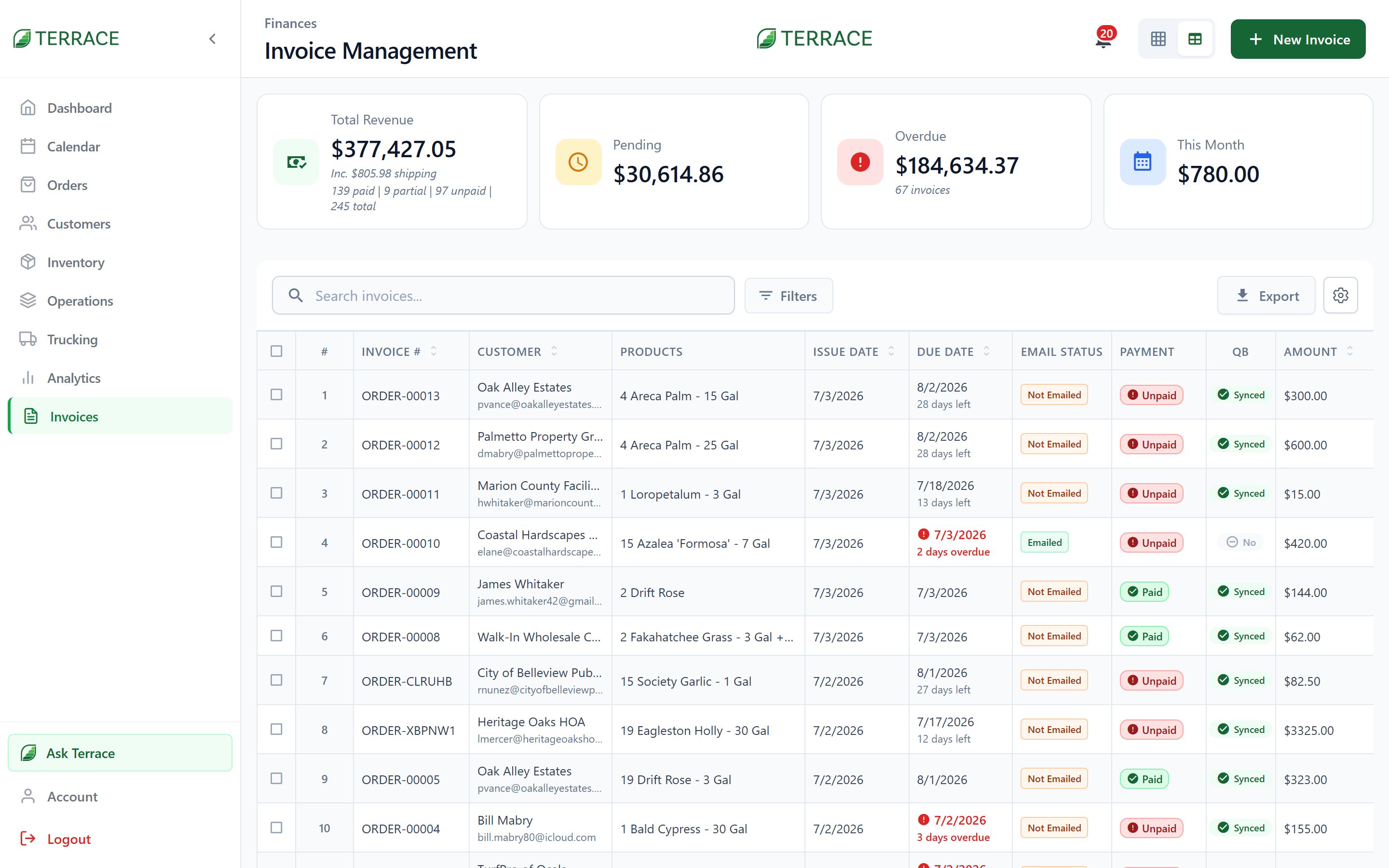
Invoice statuses
Each invoice also tracks its email state (Not Emailed, Emailed, or Viewed) so you know whether the customer has actually seen it.
Create and send
Generate an invoice from an order (or create one standalone from + New Invoice). Set the payment terms (Due on Receipt, Net 7, Net 15, Net 30, Net 45, or Net 60) and the due date follows. Then email it to the customer directly from Terrace. Need to follow up? Send a Reminder, or a Statement covering everything they owe. The invoice PDF carries your operation’s branding. Logo, position, and footer are set under Account → Documents.Attach the PDF
The email composer includes an Attach PDF toggle. Turn it on to include the branded invoice PDF alongside the email body. Quote emails work the same way.Attach PDF is only available when you send from the web app. On the iOS and Android apps the toggle is disabled, because the PDF is generated in the browser. Send from the web when the customer needs a PDF copy in their inbox; either device is fine for a plain-text send. If the PDF can’t be generated for any reason, Terrace stops the send and tells you, so an email never goes out claiming an attachment that isn’t there.
Record payments
Log payments as they arrive, full or partial, and Terrace keeps the running balance. Each payment records its method: Cash · Check · Card · Bank Transfer · Square · QuickBooks Payments · Other Once settled, you can issue a Receipt. Recording payments is its own permission, separate from creating or editing invoices.Filter and export
Slice the invoice list by status, by date (Today through This Year, or a Custom Date Range), by email state, or by QuickBooks export state (Exported to QB / Not Exported). The Export button produces your books-ready output.QuickBooks sync
With the QuickBooks integration connected, invoices flow to your accounting automatically or on demand. Every invoice shows its sync state, and if an export gets stuck you can use Export Status Reset and send it again. Deleted the wrong invoice? Restore Invoice brings it back.Set up QuickBooks
Configure auto-export, sync direction, and reconciliation.